ContractSafe Design System
- Design System Refresh
- AI Workflows
ContractSafe ContractSafe is a contract lifecycle management product for SMBs, with clients spanning healthcare, manufacturing, and the public sector.’s design system felt like an index, not a guide. It had weak definition behind tokens and components, so when their product team prompted screens with AI, everyone got different results. A visual refresh was part of the job, but the real goal was a system an agent could follow. I added that definition at every level, from token guidance to component docs to skills that build and check screens.
Highlights
- Built skill files that generate on-brand screens and audit them before handoff
- Defined usage guidance for contextual tokens, so intent didn’t depend on the name alone
- Set up component documentation that Claude drafts and a skill keeps in sync
01 / Discovery
A lack of definition
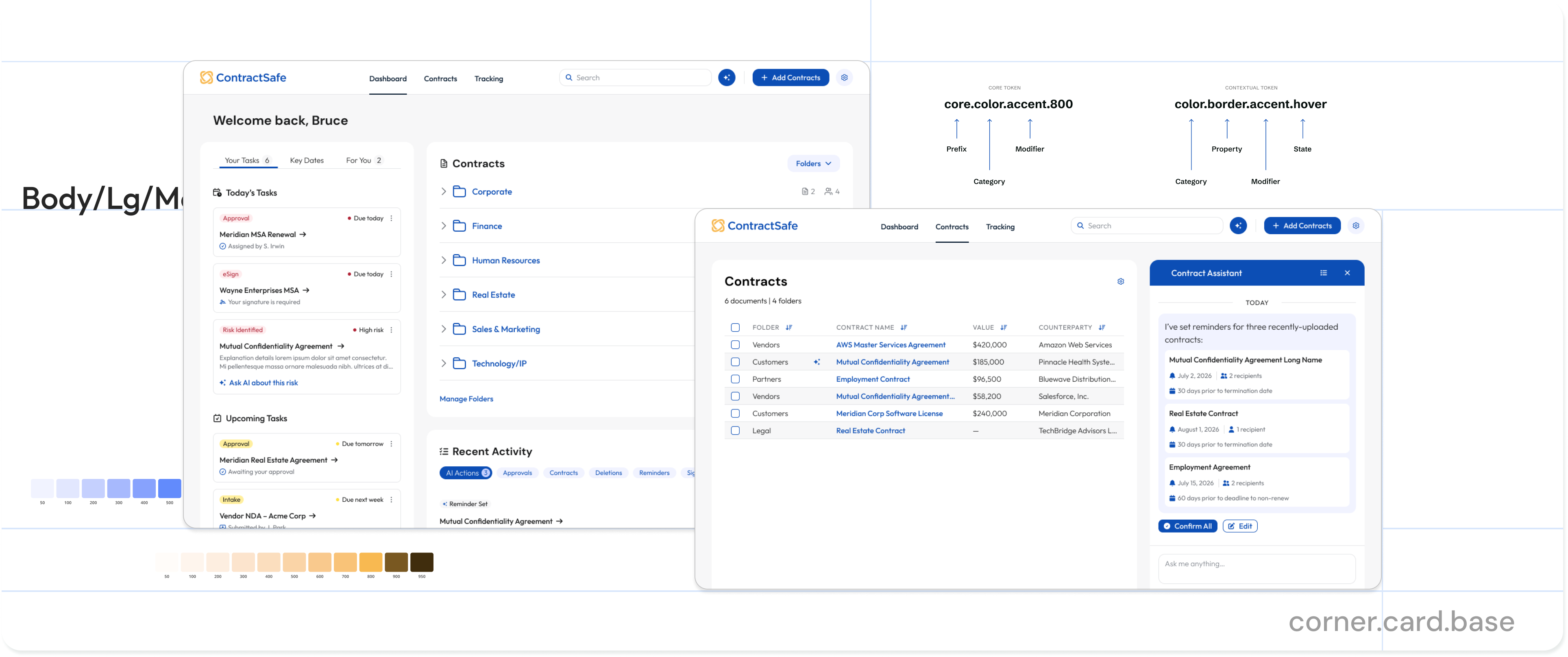
ContractSafe wanted to move past the MUI-based system they had spun up quickly, including its “legacy PC-era” look. But the bigger goal came from their Head of Product: let PMs, designers, and leadership prompt their ideas into screens that were closer to reality and more consistent from prompt to prompt.
The existing system lacked the definition for an agent to anchor to, or a person for that matter. Different people prompting it got wildly different results. Any refresh needed structure and intent to better enforce conformity.
02 / Token architecture
Assigning intent to tokens
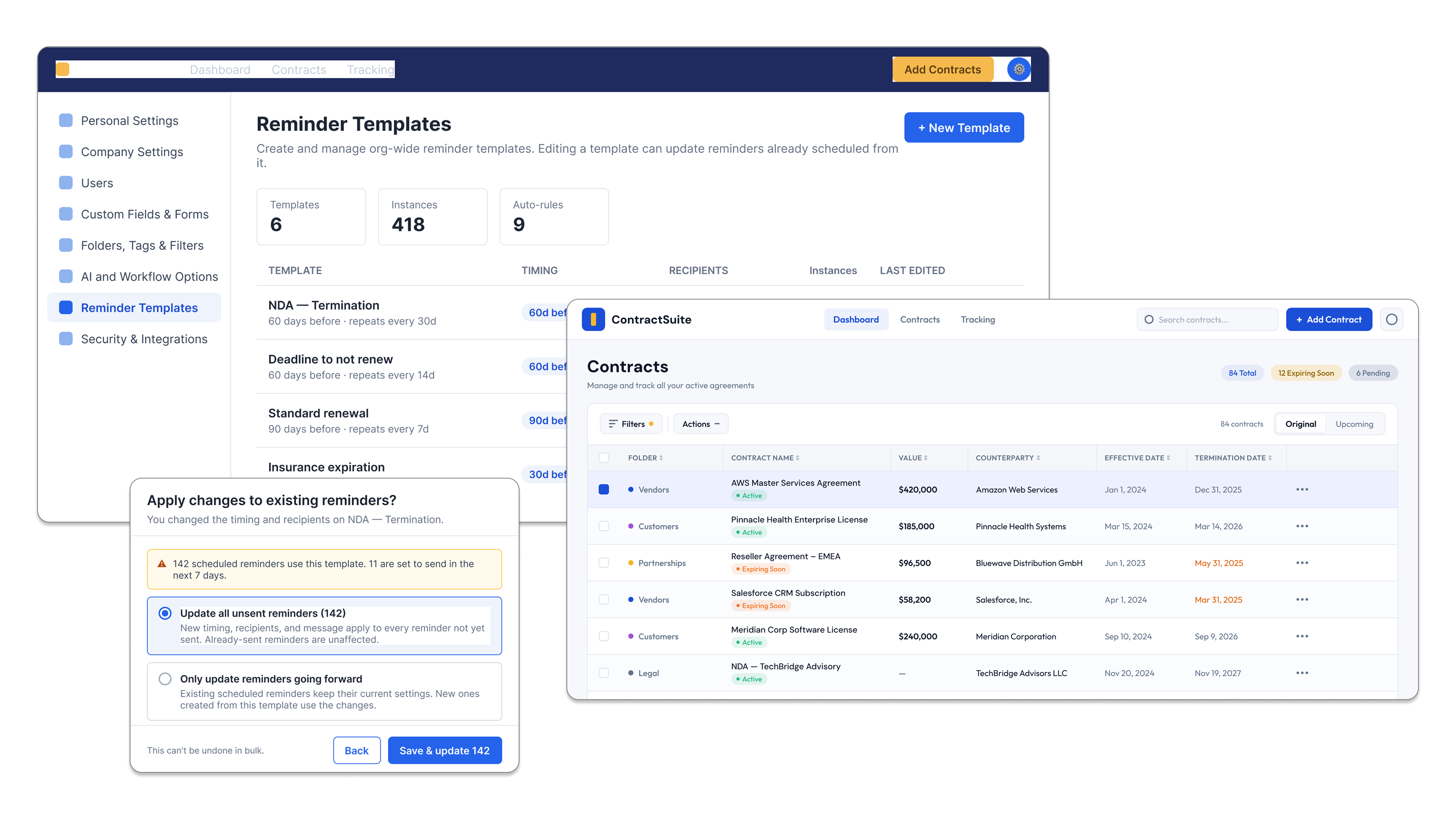
I set up a two-tier token structure, core and contextual, with a syntax that described each token’s purpose. But not every semantic name can guarantee clear intent. bg-accent-hover is clear, but bg-brand-lighter is not.
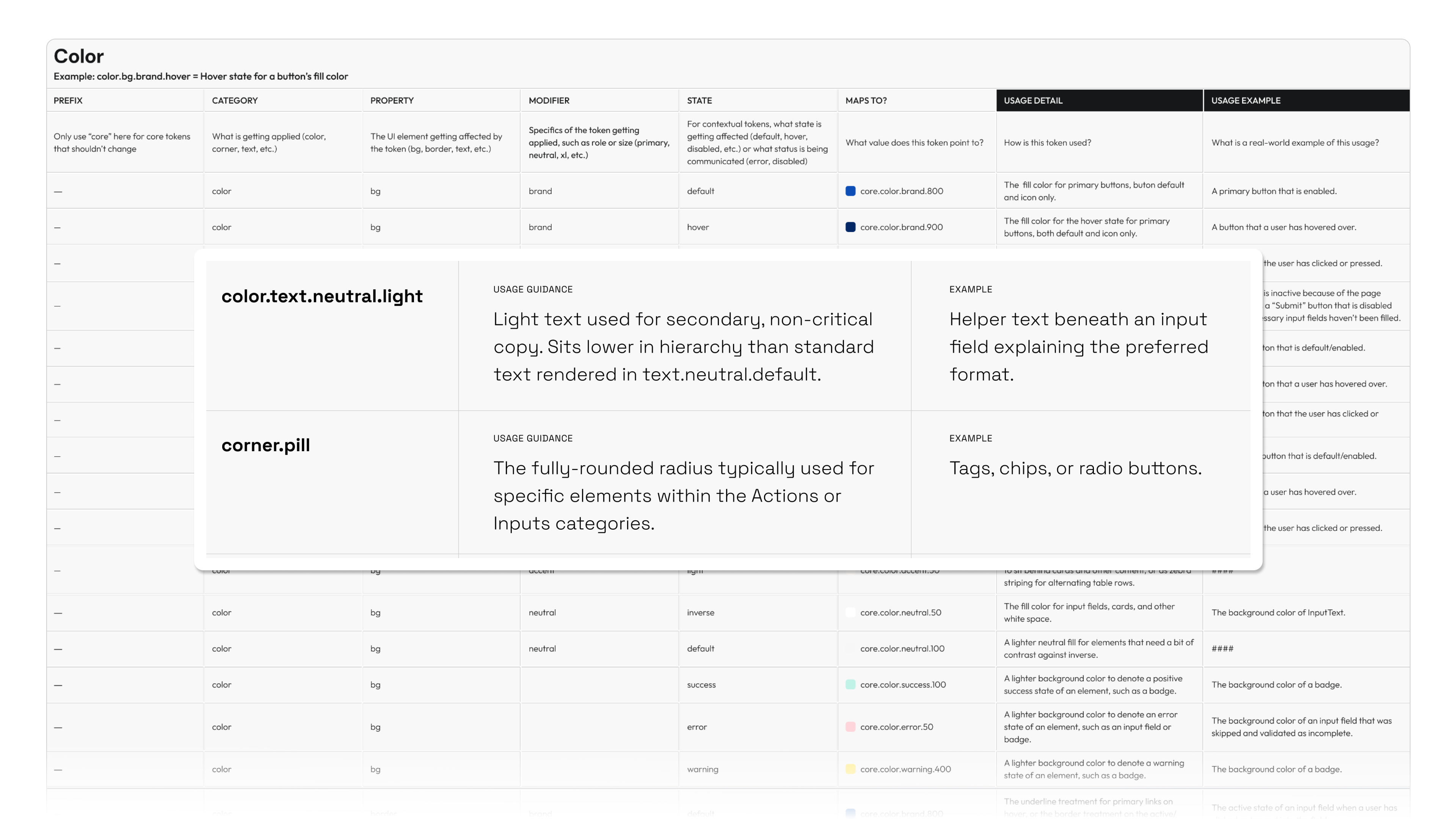
I added guidance to each contextual token on when to use it and when not to. If I couldn’t write clear guidance, that was a reason to question the token. This mattered most for prompted screens that skipped components, where the tokens had to carry the meaning on their own.
03 / Documentation
Documentation that stays in sync
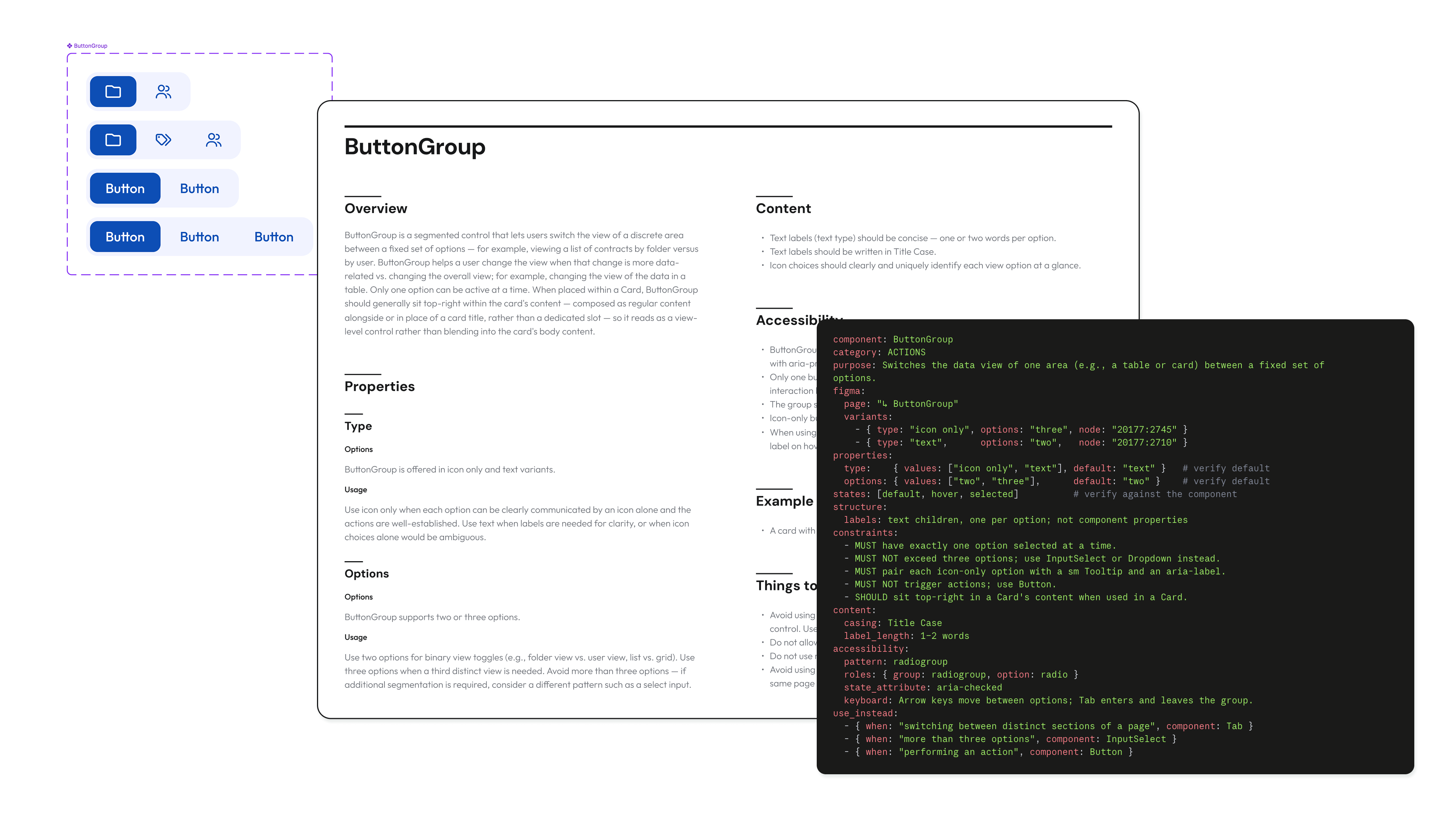
Documentation is critical to any system, and it can’t just be something an agent knows behind the scenes. I created a Figma template that sat next to each component, covering properties, content rules, and accessibility guidelines.
Claude filled in the template after inspecting a new component. Once reviewed, the same content was published to a skill, which kept the Figma docs and the .md file in sync. It could feed a docs site later. In the meantime, anyone could just ask an agent.
04 / AI workflows
Skills that generate and audit
A design system is just a set of rules, and LLMs are really good at following rules. The catch is that the rules have to be written down clearly and they need to be manageable as the system grows.
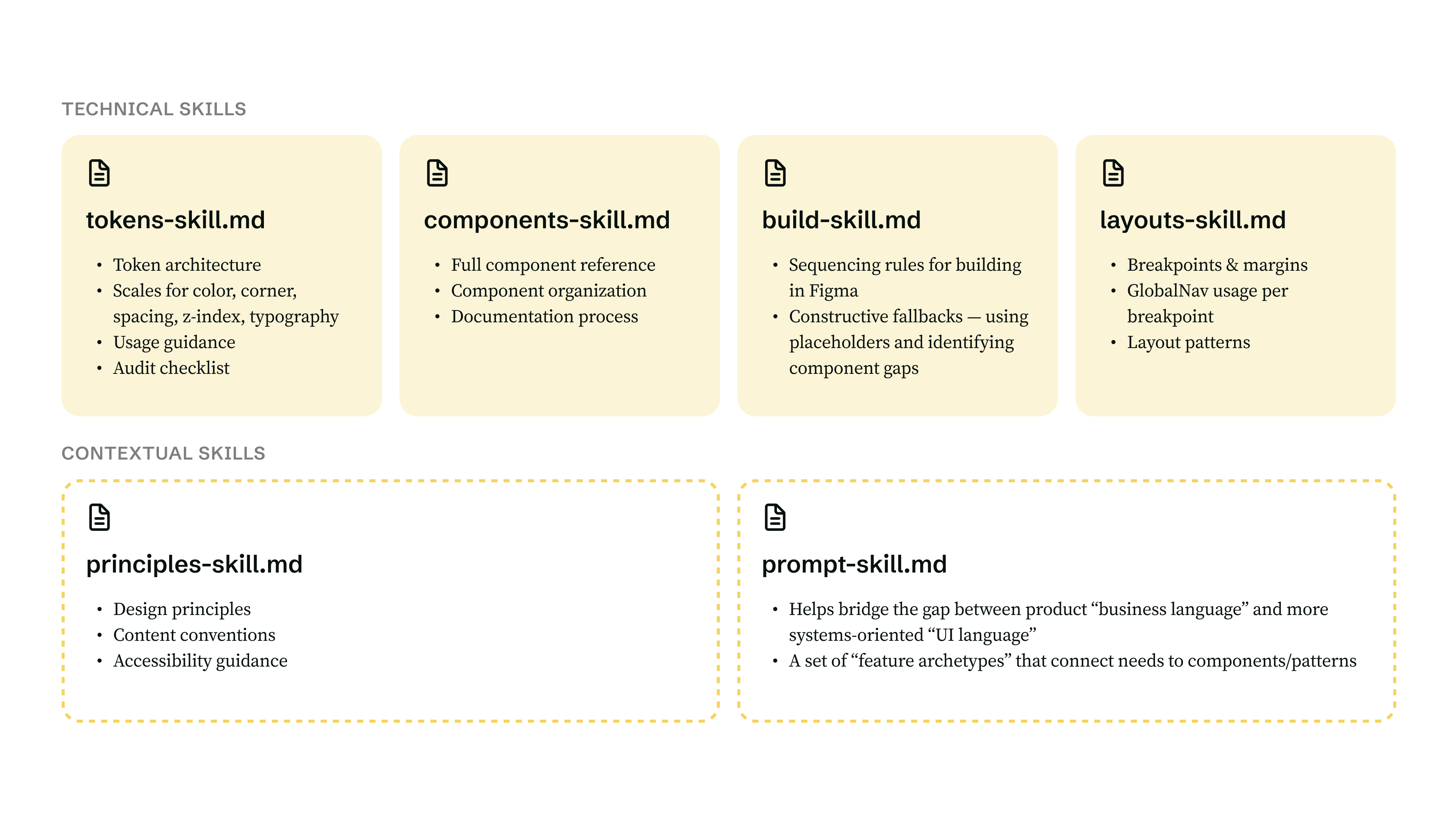
I split the skill files the way you’d organize a design system: foundations, components, principles, etc. That kept them manageable and let me layer them in one at a time for testing purposes. A separate prompt skill helped PMs translate business language into UI language.
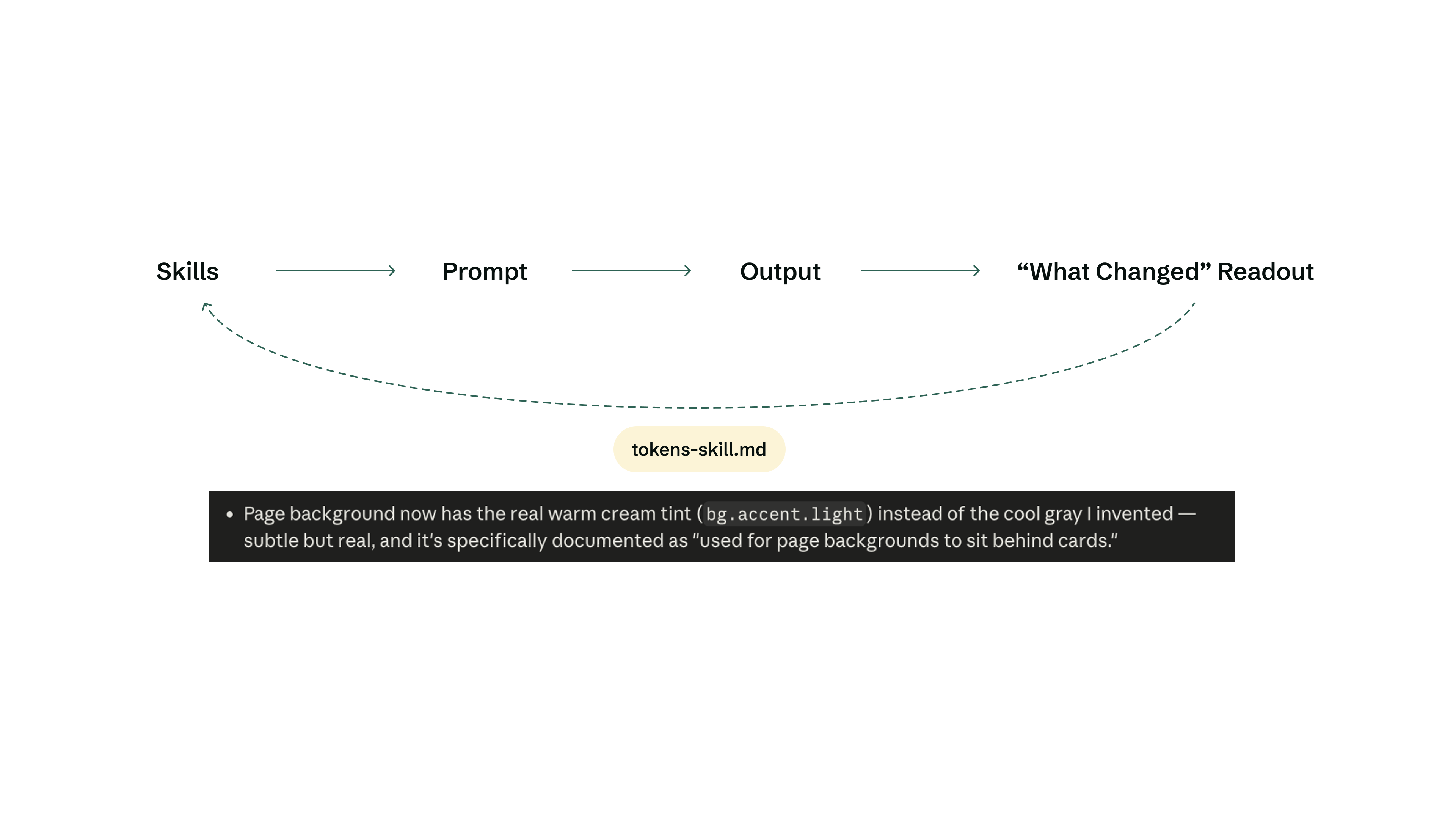
Those same skills doubled as an audit before handoff, catching issues such as hard-coded values and component misuse. A “What Changed” readout showed the agent’s decisions, providing an opportunity to learn from mistakes and improve over time.
05 / Impact
Closing the gap, one skill at a time
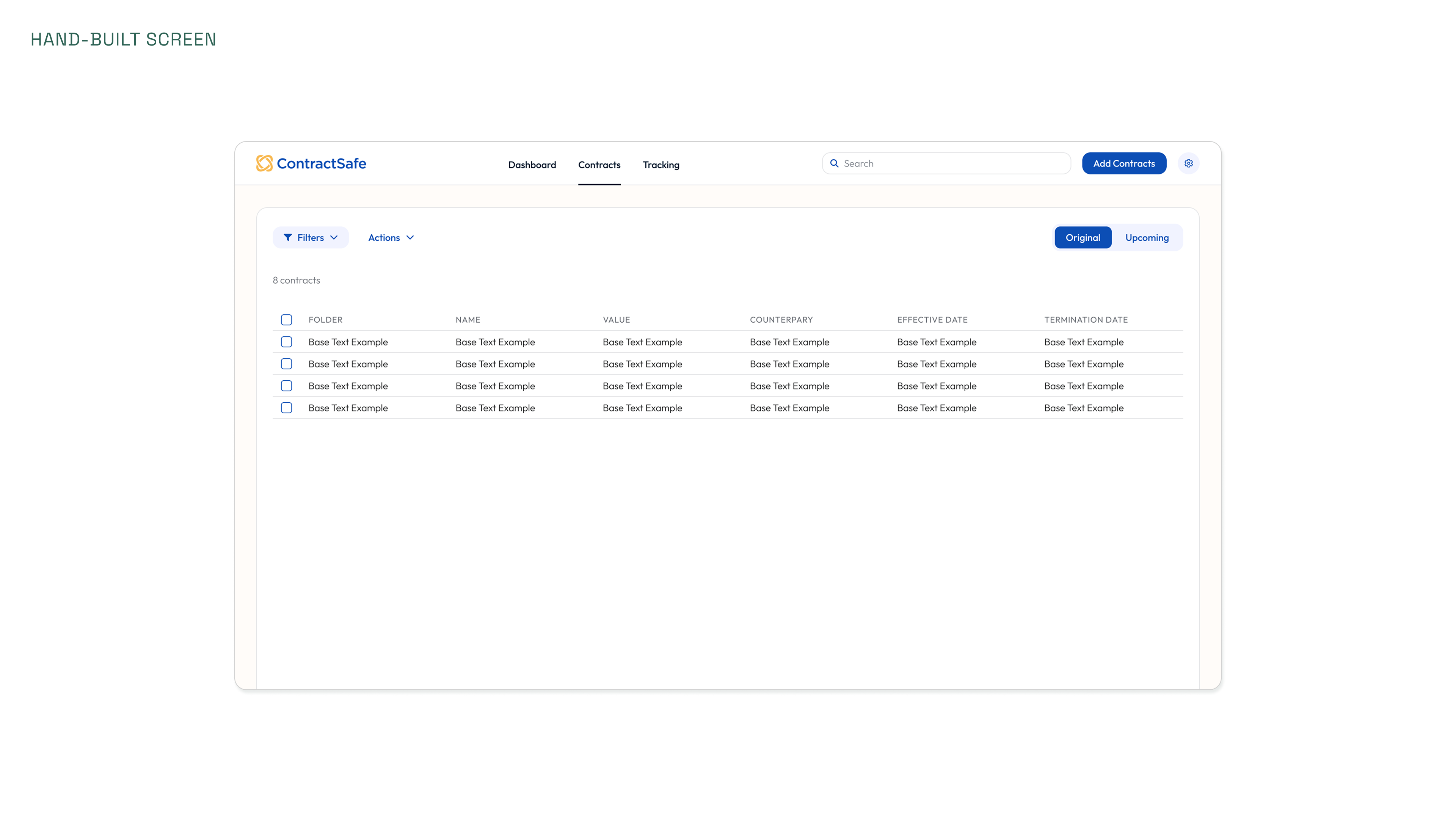
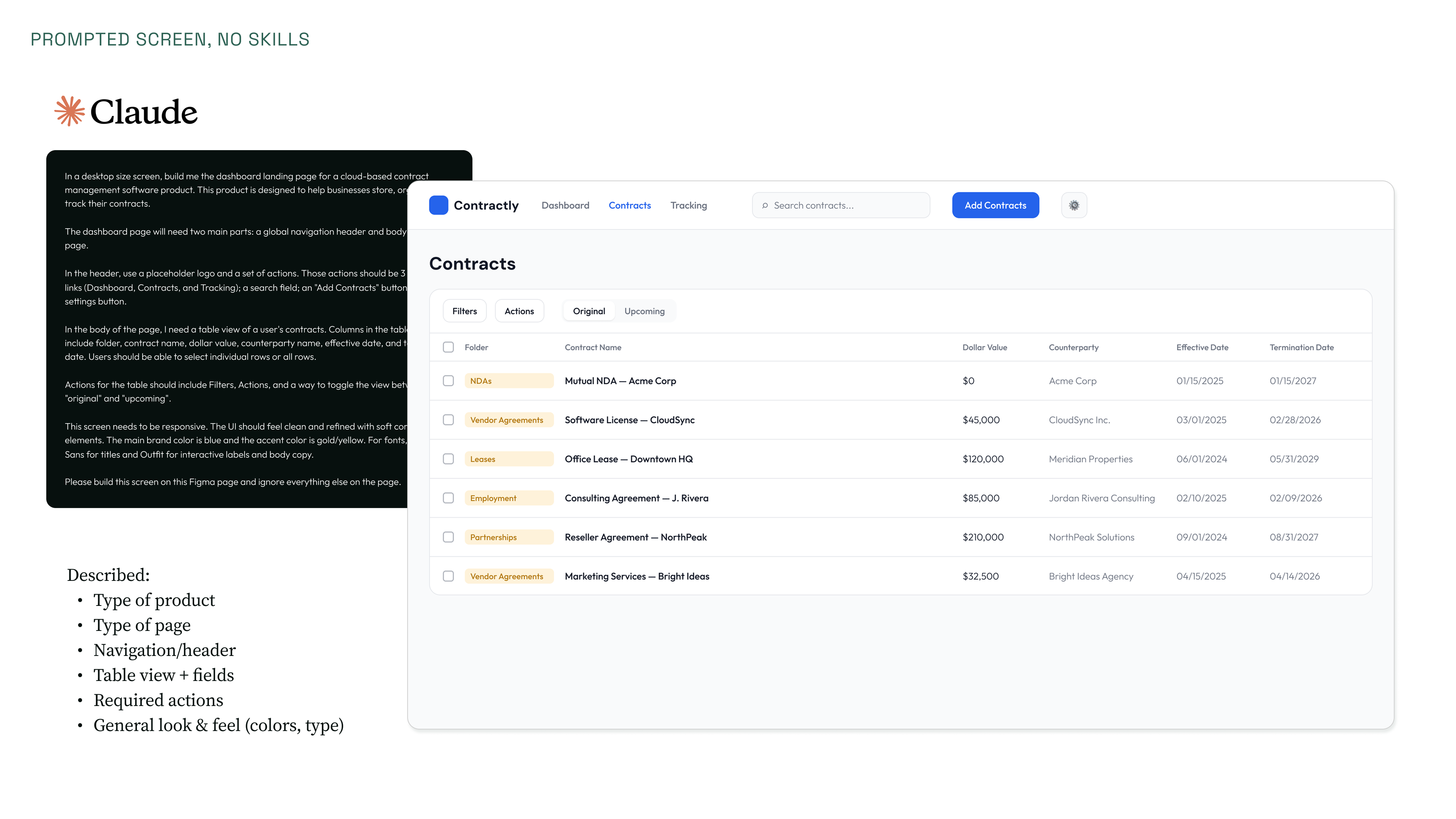
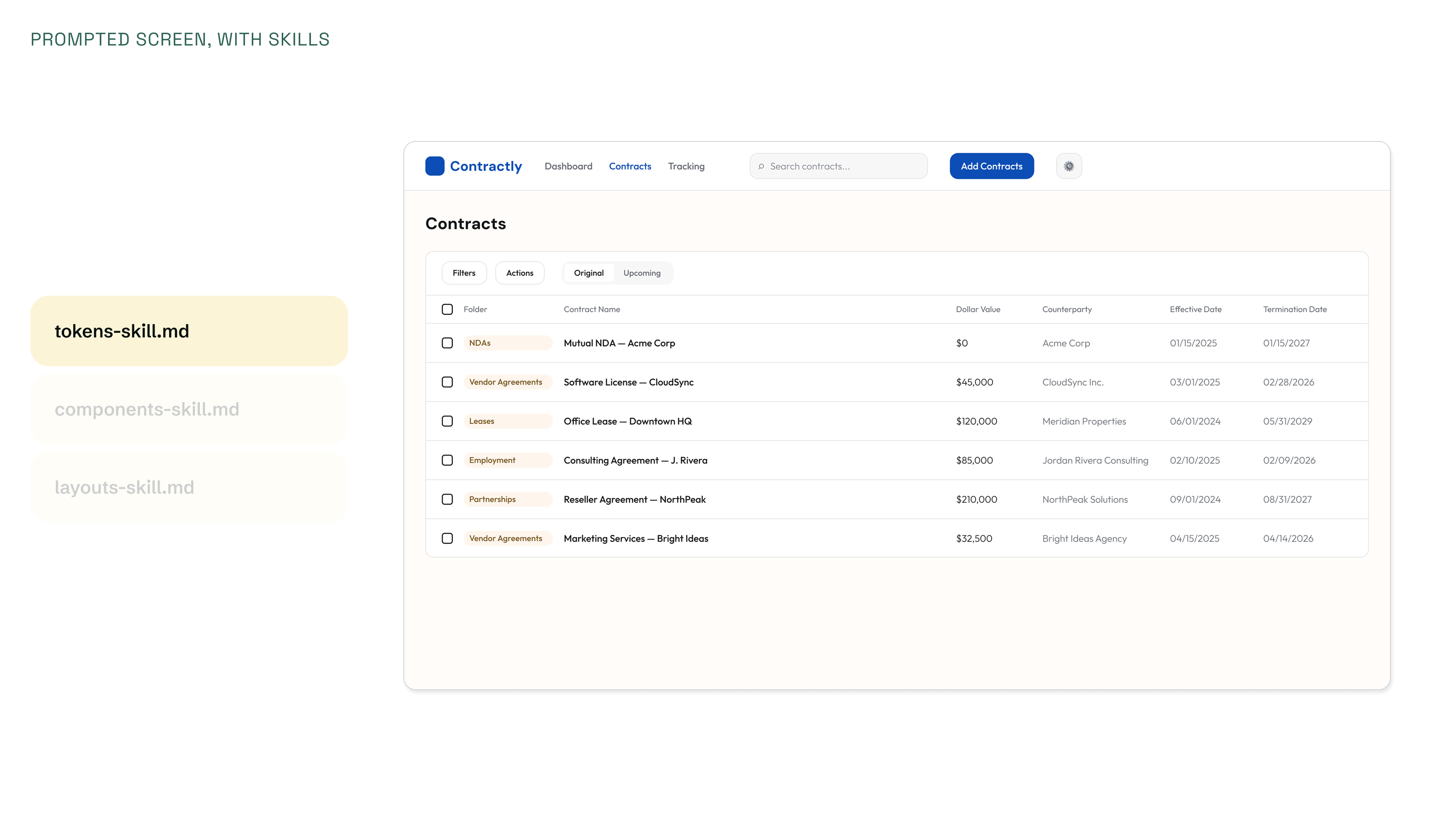
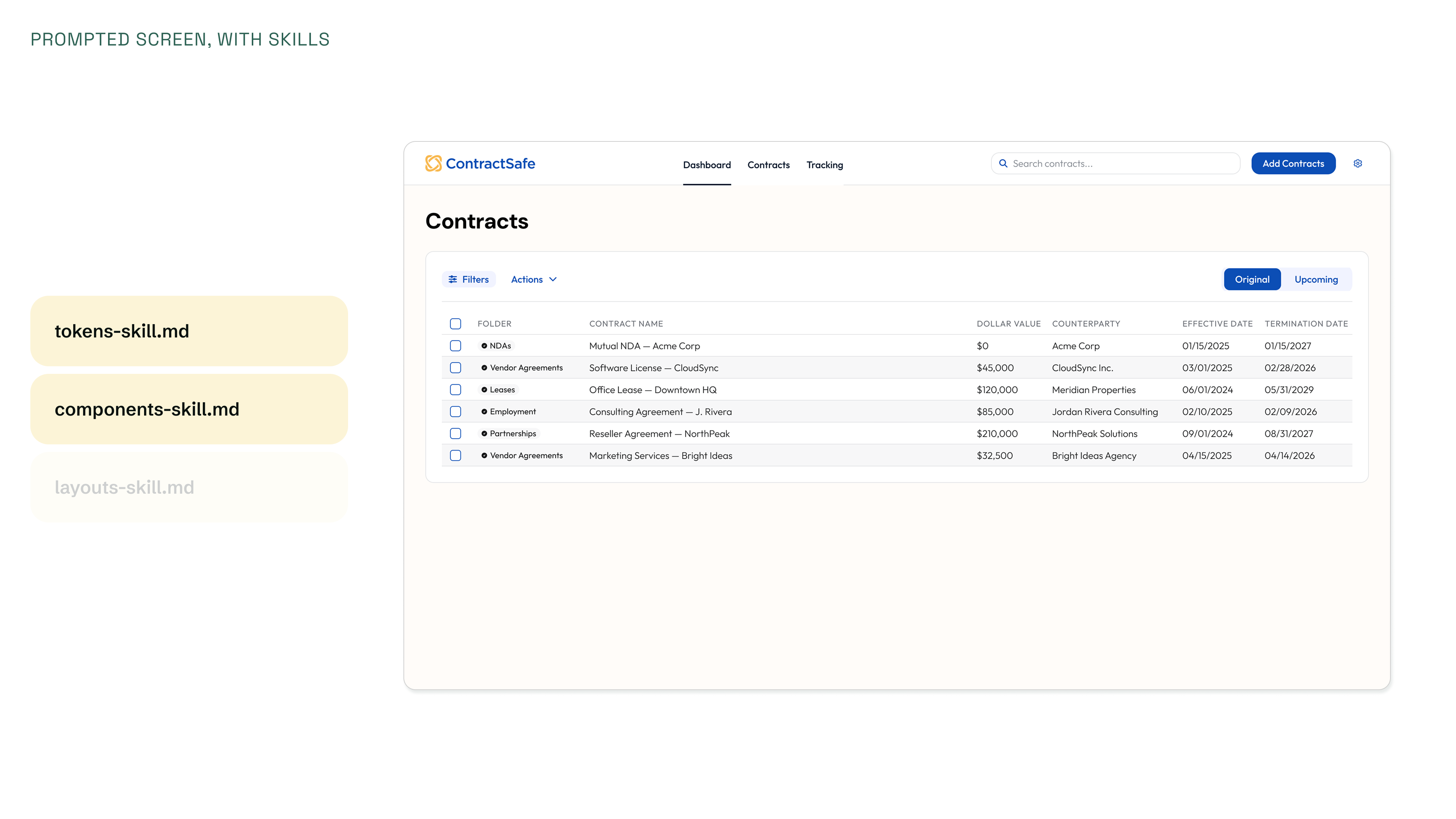
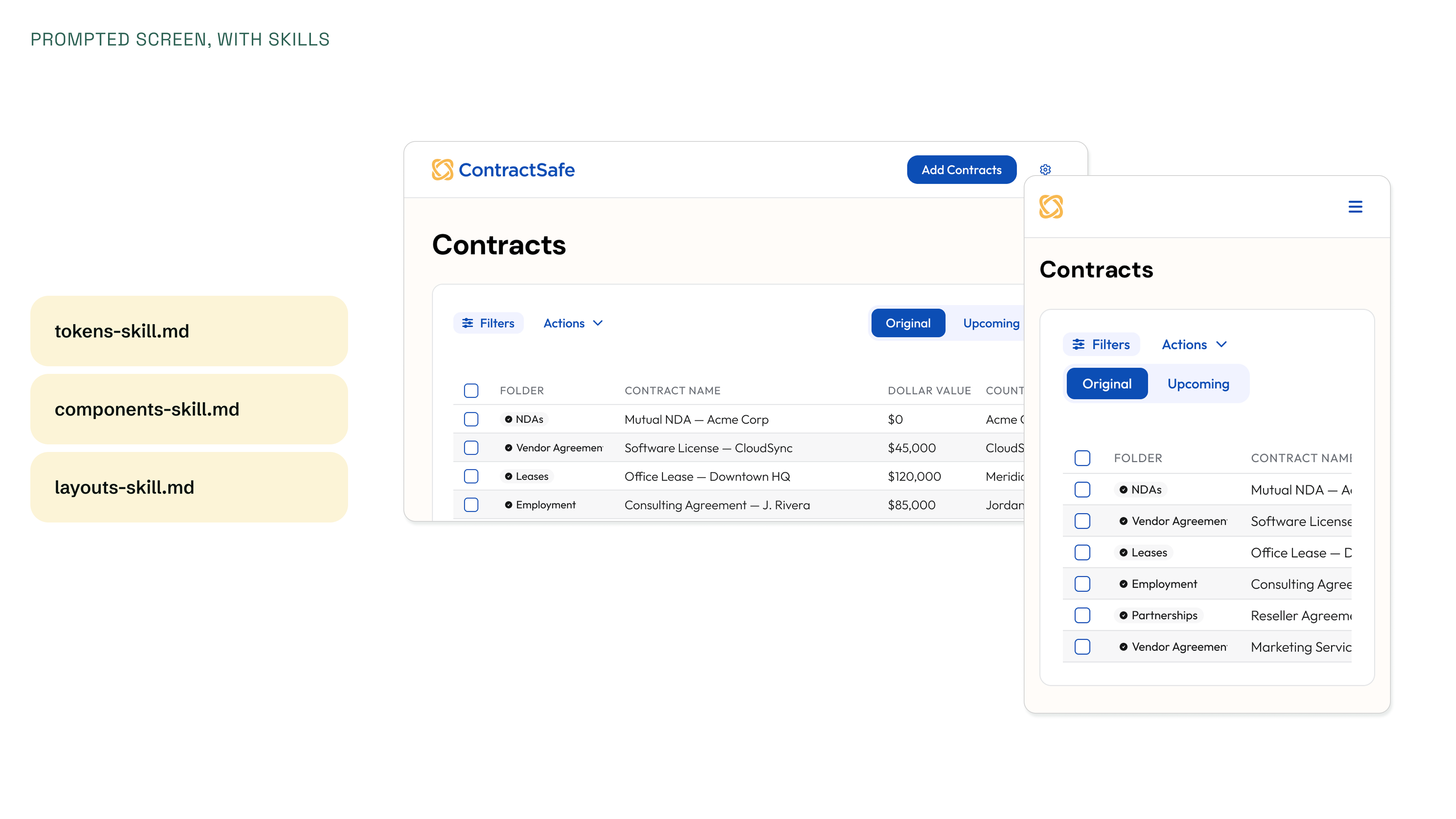
To test the skills, I ran multiple rounds comparing hand-built screens against prompt-generated ones, layering in skills incrementally.
Without guidance, prompted screens were a predictable mess of invented styles. Adding the tokens skill brought color and typography closer. Layering in the component skill replaced dummy elements with the right UI, based on the documentation. And folding in the layouts skill produced responsive screens. Each layer closed more of the gap between prompt and output.